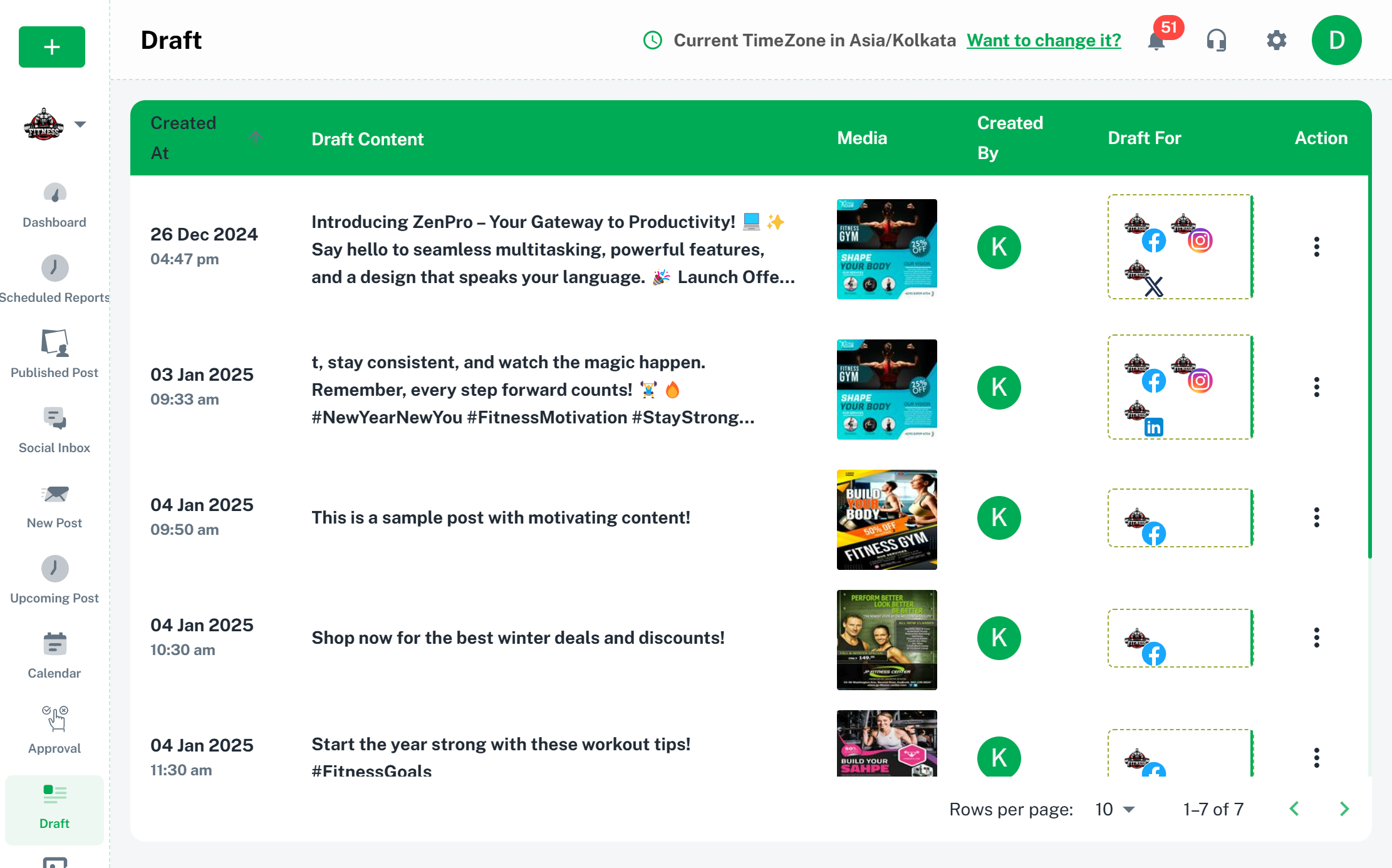
User Templates in Brand2Social let you save frequently used post content so you can quickly apply it when composing new posts. This is ideal for recurring content formats, standard disclaimers, campaign copy, or any text you find yourself writing repeatedly.
How to Create a User Template
1. Navigate to the Compose page in Brand2Social.
2. Write the content you want to save as a template in the post editor.
3. Click the Save as draft button at the bottom.
4. Now you can use the saved draft post as a template anytime.
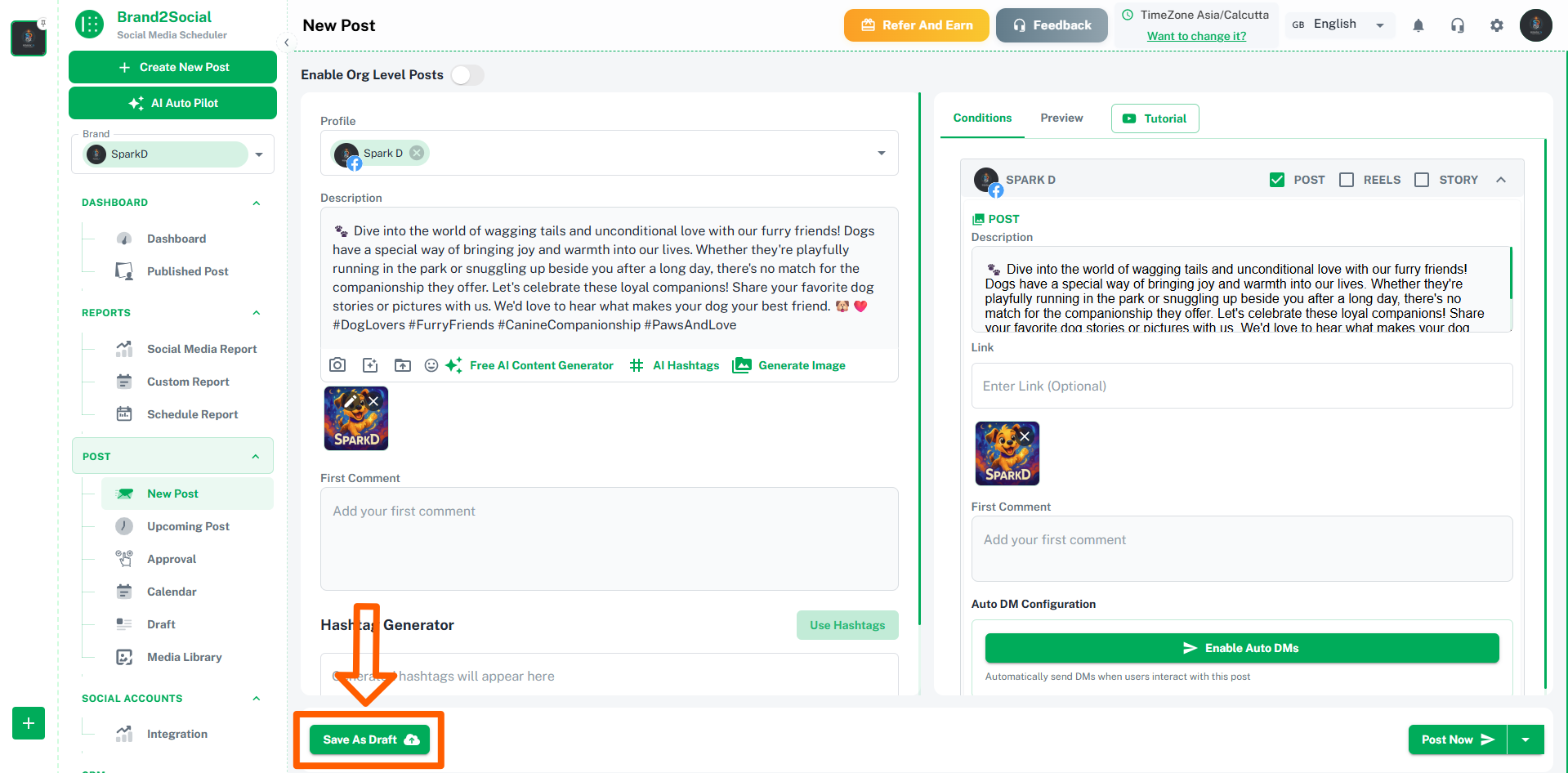
The current text in the editor will be saved to your User Templates collection and will be available to use on any future post.
How to Use a Saved Template
1. On the left side menu locate draft page under post section.
2. Here you’ll find all the saved draft posts from earlier.
3. Click the on the three dots menu and click Upload draft button on the template you want to apply.
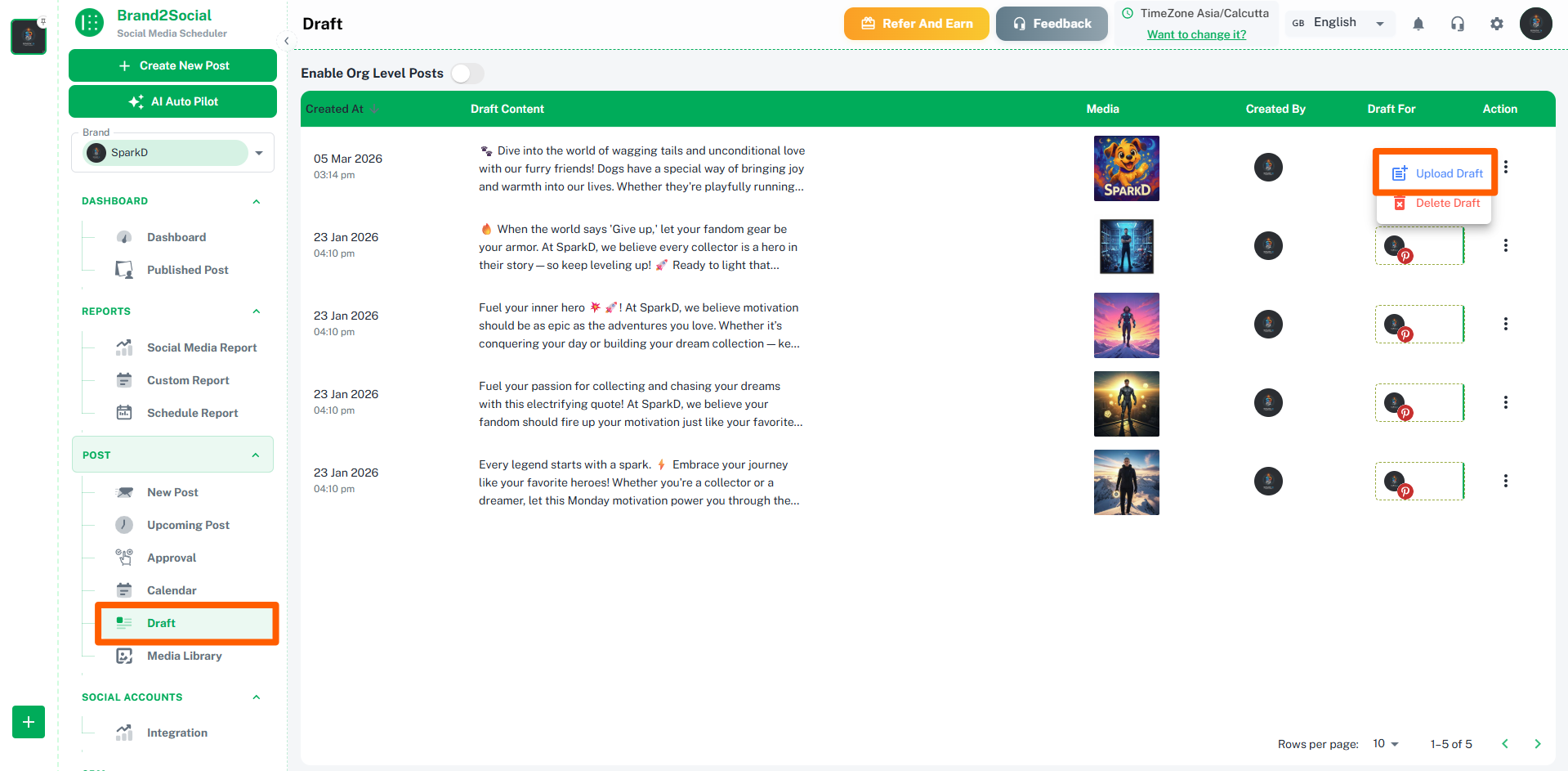
The template content will be inserted into the post editor, where you can edit it further before scheduling or publishing.
From this page you can also:
- Use a template directly without going through the Compose page.
- Delete templates you no longer need.
- Create new templates from scratch without using the Compose editor.
Troubleshooting Common Issues
The User Templates tool is not visible beneath the editor
- Click the Tools tab in the right-side pane of the Compose page — the User Templates tool may have been collapsed or moved out of the default view.
My saved template is not appearing in the template list
- Confirm you clicked Save as template and did not just close the editor. Templates are only saved when the action is explicitly confirmed.
- Check the Assets → User Templates page to verify the template was saved successfully.
Frequently Asked Questions
Can I copy or move templates from my personal space to a workspace?
Not at the moment, but this is something the Brand2Social team is actively working on. Templates are currently scoped to the space in which they were created.