White Label – Customize Your Brand Experience
Rebrand the platform with your logo, colors, and domain to deliver a seamless, fully customized …
Define exactly what every team member can see, create, approve, and publish. Brand2Social's role-based authentication gives you complete control over your team's permissions - per brand, per channel, per person.

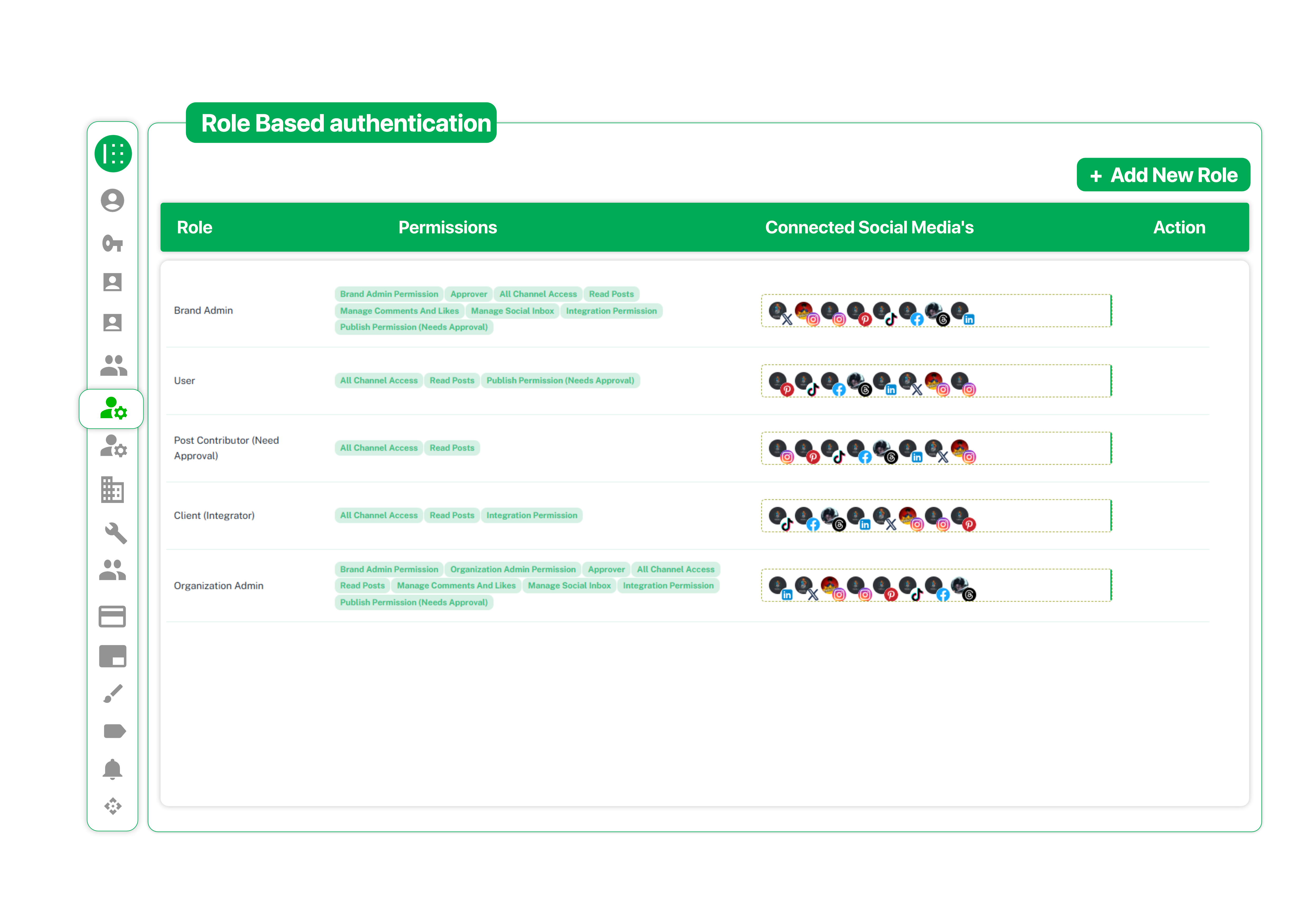
Brand2Social comes with built-in roles designed for every team structure. From Brand Admins who can approve and manage everything, to Post Contributors who can only create and submit each role has a clear set of permissions across all your connected social media channels.
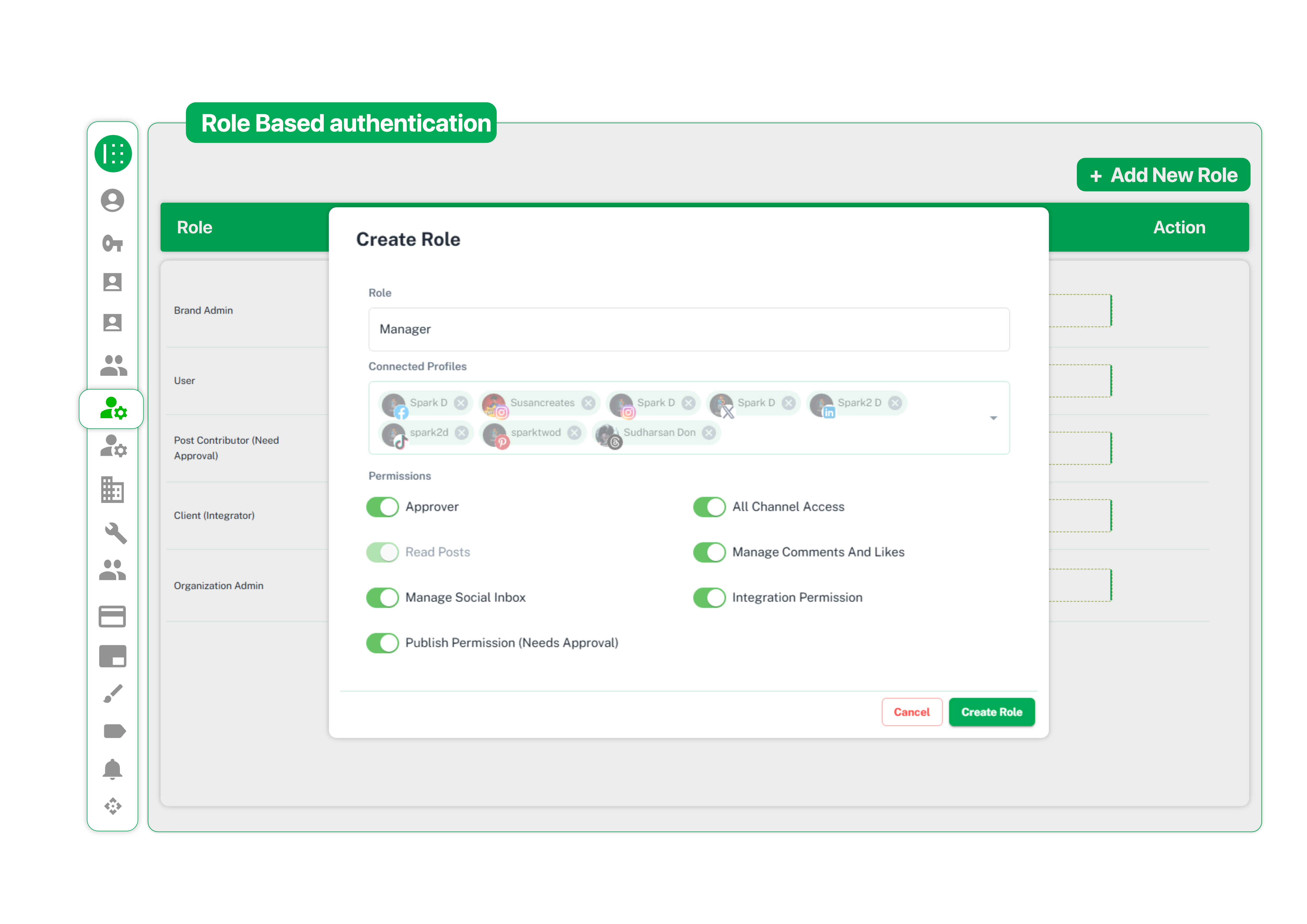
Not every team fits a default role. With the Create Role feature, you can build a new role from scratch. Give it a name, select specific social profiles, and toggle individual permissions on or off including Approver, All Channel Access, Manage Comments, Publish Permission, and more to perfectly match your team’s workflow.
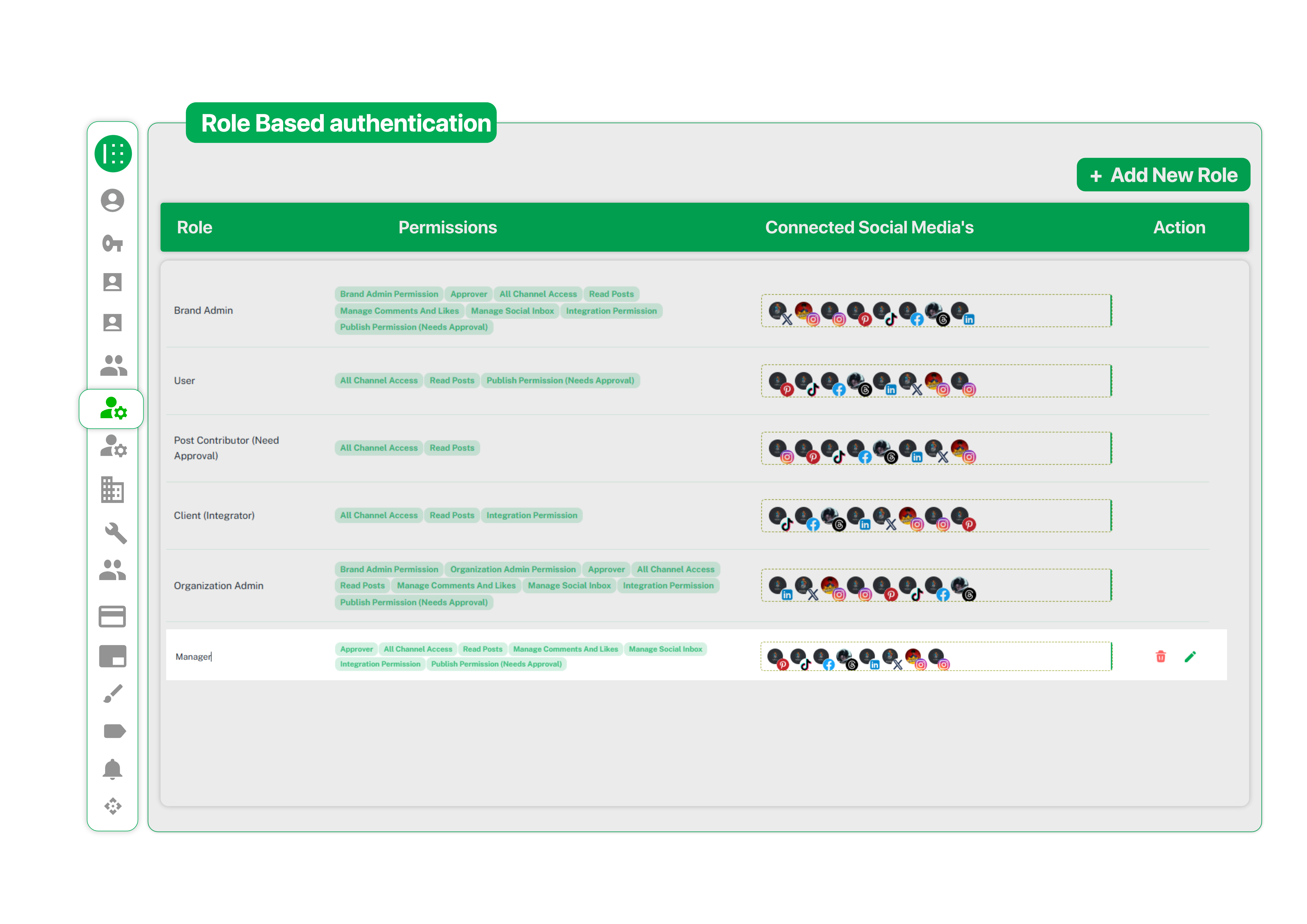
The Role Management dashboard provides a clear, transparent view of every role in your organization. See their permissions and connected social media channels in one place. You can easily edit or delete custom roles anytime as your team grows.
Learn how to manage user roles, assign permissions, and control team access with secure workflows.
More Capabilities
Rebrand the platform with your logo, colors, and domain to deliver a seamless, fully customized …
Create, manage, and control multiple brand profiles with status toggles, customization, and quick …
Switch languages instantly and manage dashboards, content, and social media in multiple languages …
Start planning, scheduling, and reporting from one organized Brand2Social workspace.
Get Started TodayNo Credit Card Required
Free Trial Available