White Label – Customize Your Brand Experience
Rebrand the platform with your logo, colors, and domain to deliver a seamless, fully customized …
Manage your content lifecycle with role-based access, structured approvals, and admin-level controls. Let contributors create while admins review, approve, or reject posts before publishing.

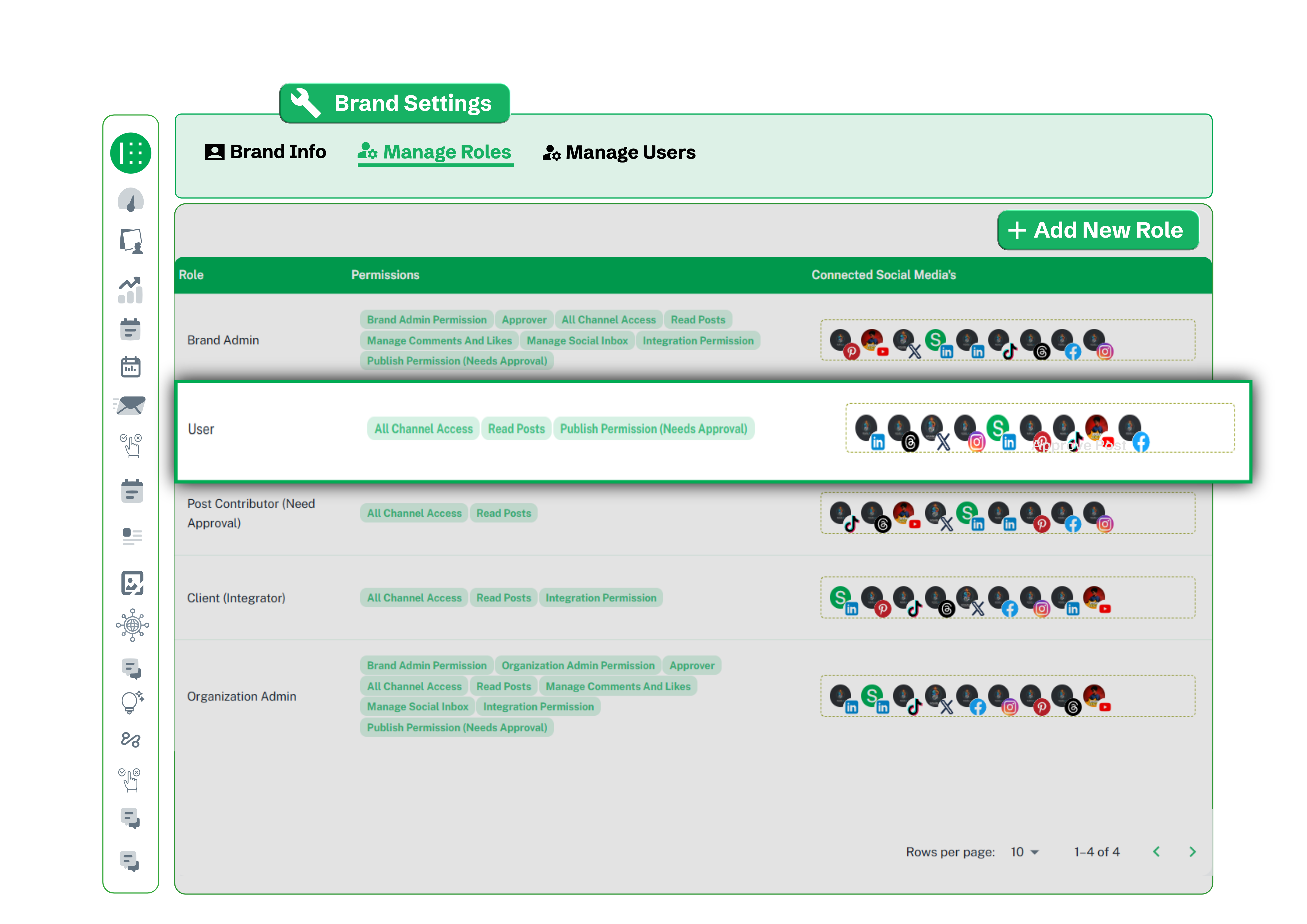
The Manage Roles tab gives a clear view of every role's permissions and connected social channels no guesswork. Create custom roles from scratch or use defaults like Brand Admin, Post Contributor, and Organization Admin. Only users with the Approver permission can approve or reject pending posts.
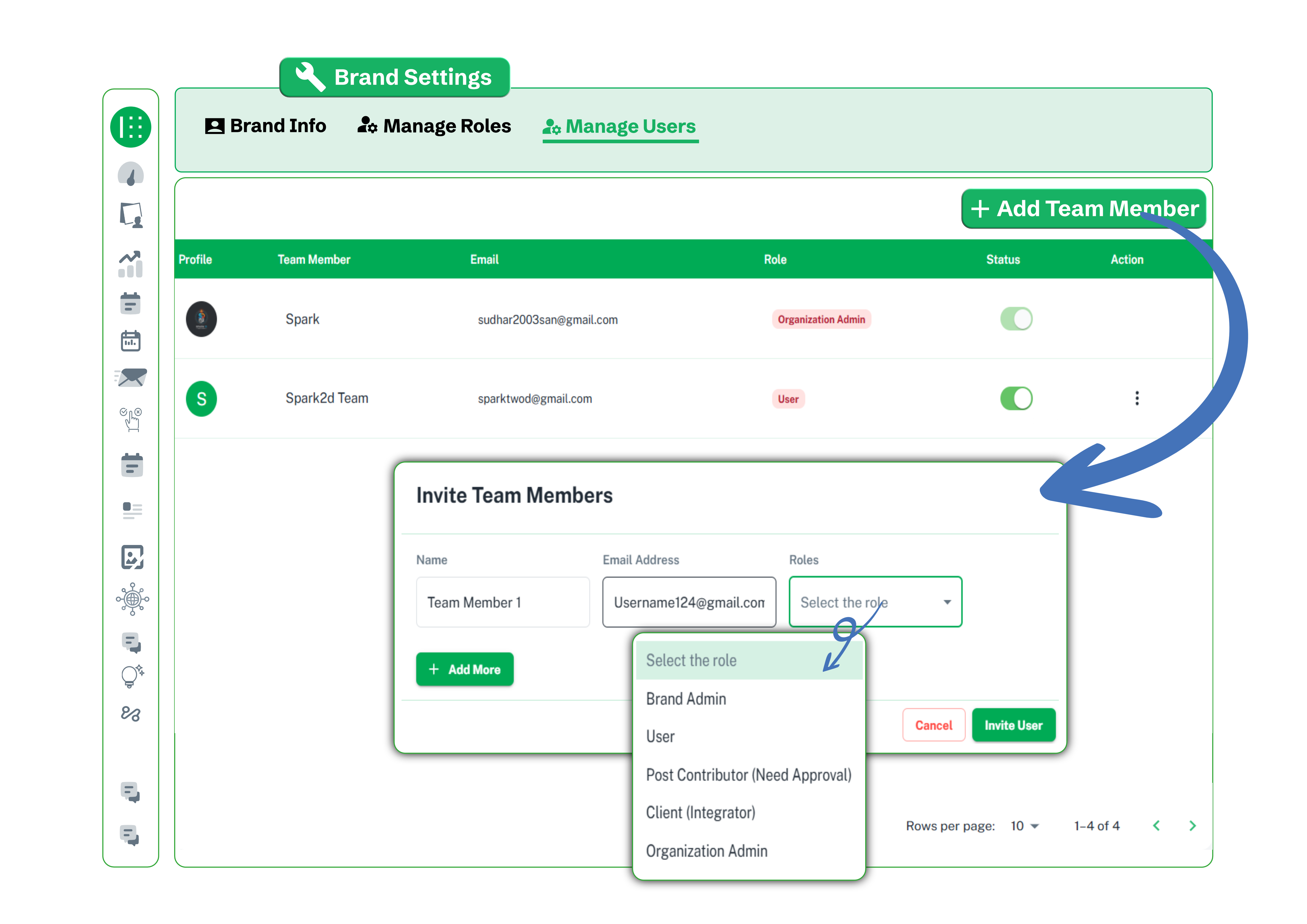
Under Brand Settings, invite team members by name, email, and role and define their level of responsibility from day one. Choose from Brand Admin, User, Post Contributor, Client Integrator, or Organization Admin to ensure the right people control the right content.
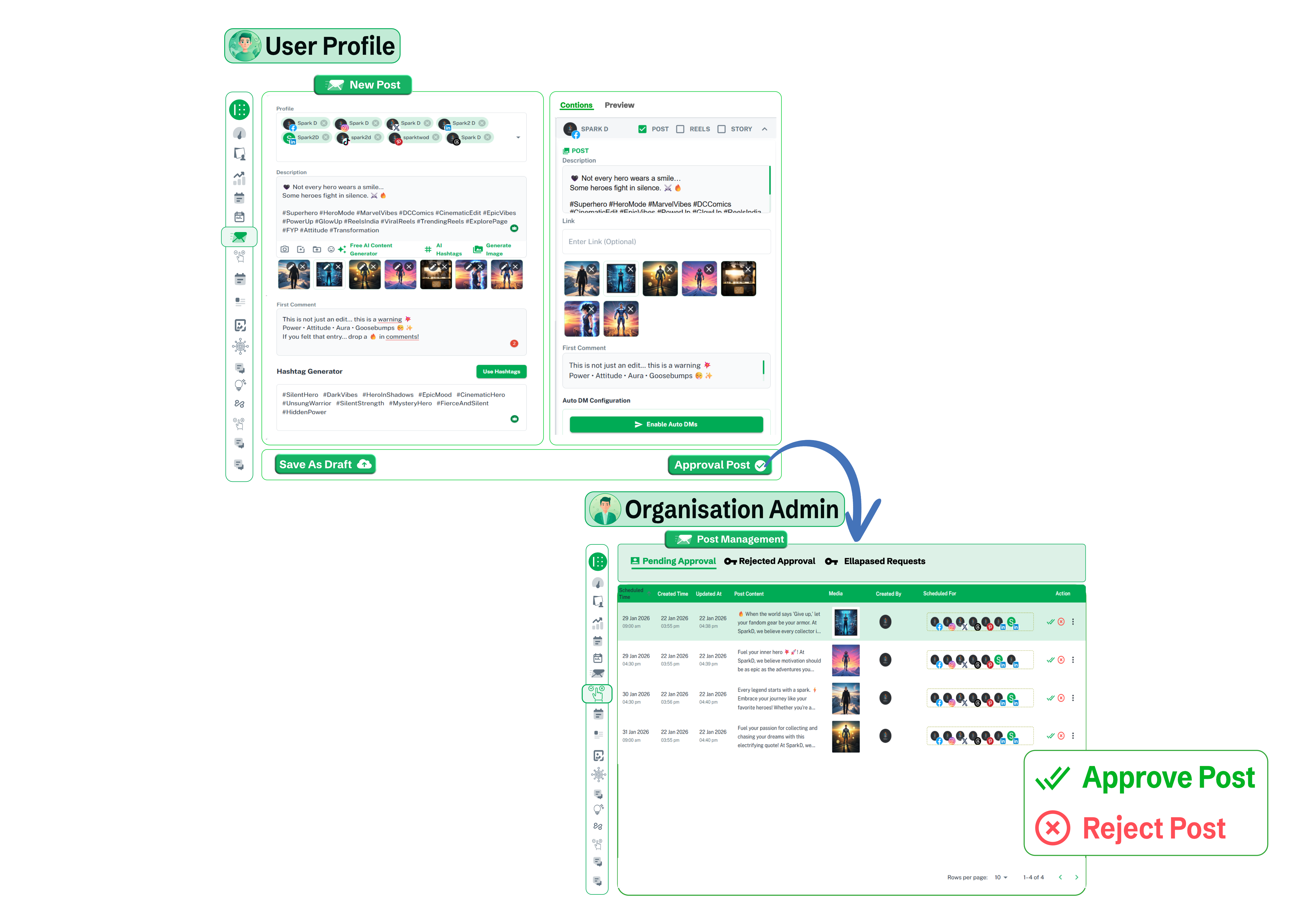
Team members draft complete posts - captions, hashtags, images, and first comments and submit them for review with one click. Posts land instantly in the admin's Pending Approval queue, where they can be approved or rejected before anything gets scheduled or published.
Explore how teams collaborate using role-based access, submit posts for approval, and manage publishing workflows efficiently.
More Capabilities
Rebrand the platform with your logo, colors, and domain to deliver a seamless, fully customized …
Create, manage, and control multiple brand profiles with status toggles, customization, and quick …
Switch languages instantly and manage dashboards, content, and social media in multiple languages …
Start planning, scheduling, and reporting from one organized Brand2Social workspace.
Get Started TodayNo Credit Card Required
Free Trial Available